You want to browse the internet without leaving a trace, but is incognito mode alone enough? What if you could add a powerful shield to protect your privacy even further?
Using a VPN in incognito mode is the secret combo that many overlook. It not only stops your browser from saving your history but also hides your real location and encrypts your connection. Curious how to set it up and make sure your online activity stays truly private?
Keep reading, because we’ll walk you through easy steps to use a VPN in incognito mode and boost your security like a pro. Your private browsing just got a major upgrade.
Credit: pixelscan.net
Vpn And Incognito Mode
Using a VPN along with incognito mode can improve your online privacy. Each tool offers different protections. Together, they help keep your browsing safer and more private.
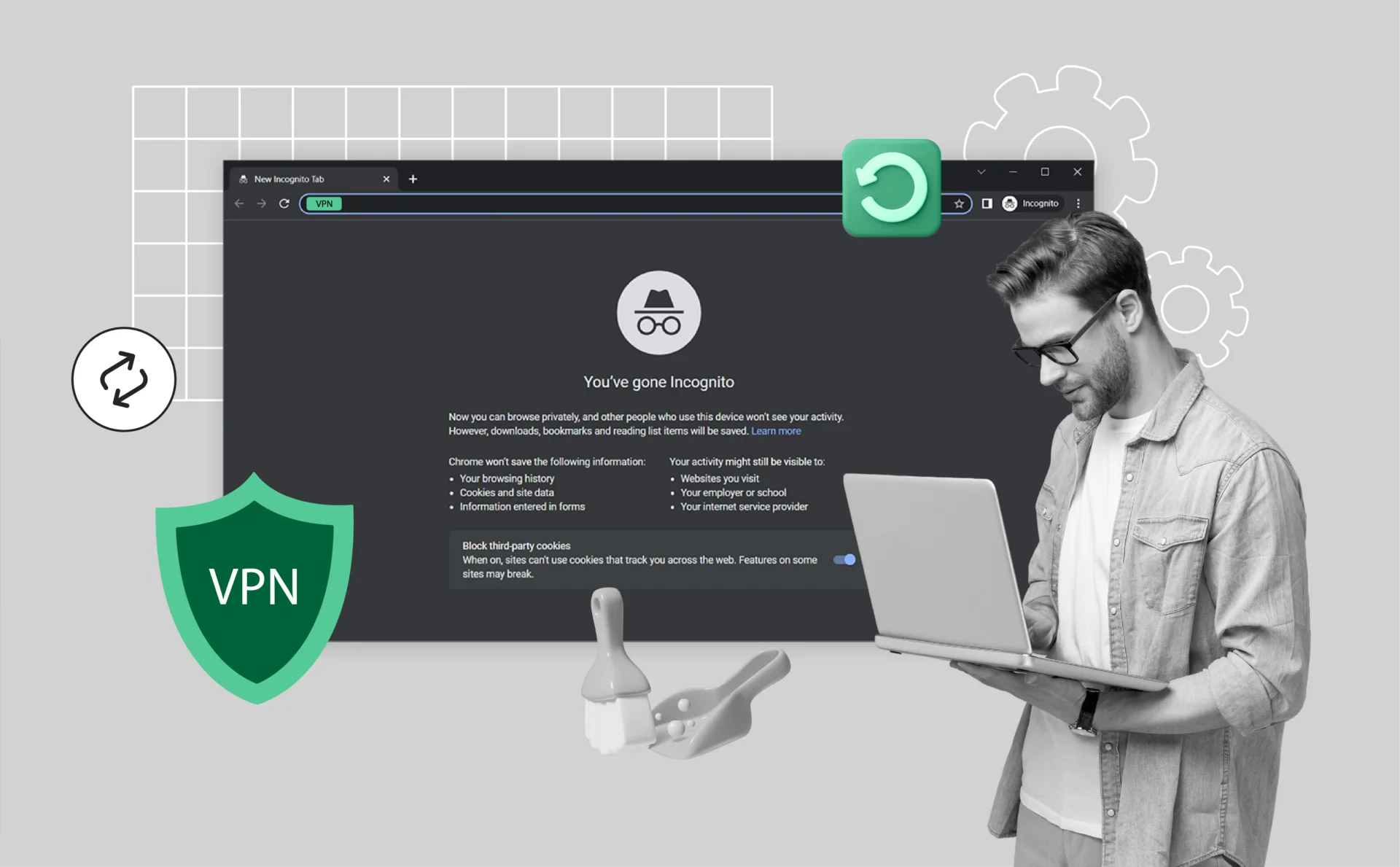
Incognito mode stops your browser from saving your history, cookies, and site data. It is useful for hiding your activity on your device. A VPN, on the other hand, encrypts your internet traffic and hides your IP address from websites and your internet provider.
How Vpn Works With Incognito
When you open incognito mode, the browser stops saving your browsing data. It does not block your internet provider or websites from seeing your IP address. Adding a VPN changes this.
The VPN creates a secure tunnel for your internet data. It sends your data through a remote server. This hides your real IP address and encrypts your connection. Even in incognito mode, this keeps your activity private from outsiders.
Your device connects to the VPN before opening the browser. Then, incognito mode ensures local data is not saved. Together, they protect both your device and your network.
Privacy Benefits Of Combining Both
Incognito mode alone does not stop tracking by websites or your internet provider. It only hides your activity from other users on your device. A VPN hides your IP and encrypts data, protecting you from external tracking.
Using both tools limits what others can see about your browsing. Your browser does not save data, and your real location stays hidden. This reduces the risk of targeted ads and data collection.
Combining VPN with incognito also helps on public Wi-Fi networks. It adds a layer of security against hackers trying to intercept your data. This combination offers stronger privacy than either tool alone.
Setting Up Vpn For Incognito
Setting up a VPN for incognito browsing boosts your online privacy. It keeps your activities hidden from your internet provider and websites. Using a VPN with incognito mode adds an extra layer of security. Here are the key steps to get started with VPN in incognito mode.
Choosing The Right Vpn
Pick a VPN that offers strong security and fast speeds. Look for one with a no-logs policy to protect your privacy. Choose VPNs that support browser extensions for easy use. Check if the VPN works well with your browser type.
Installing Vpn Extensions
Go to your browser’s extension store to find your VPN app. Download and install the VPN extension carefully. Make sure to grant it the necessary permissions. Extensions let you control the VPN directly from your browser toolbar.
Enabling Vpn In Incognito Mode
Open your browser’s extension settings. Find your VPN extension and enable “Allow in Incognito” mode. This lets the VPN work even when you browse privately. Now, launch a new incognito window and activate the VPN. Your browsing will stay private and encrypted.
Using Vpn In Different Browsers
Using a VPN in incognito mode adds a strong layer of privacy. It stops your browser from saving history and cookies. The VPN hides your IP and encrypts your data. Different browsers have unique steps to set up a VPN for incognito use. Here is a simple guide for popular browsers.
Chrome Setup Tips
Chrome supports VPN extensions that work well in incognito mode. First, install your VPN extension from the Chrome Web Store. Then, open Chrome settings and go to Extensions. Find your VPN extension and click “Details.” Enable “Allow in incognito” to use the VPN in private browsing. This setting lets the VPN protect you even in incognito windows.
Firefox And Vpn
Firefox also allows VPN add-ons in private mode. Install the VPN extension from Mozilla’s add-ons site. After installing, open the Add-ons Manager. Click on the VPN extension’s options, and enable “Run in Private Windows.” This option ensures your VPN works while browsing privately. Firefox users get good privacy with this simple step.
Other Browsers Compatibility
Many other browsers like Edge, Opera, and Brave support VPNs too. Edge uses Chrome extensions, so setup is similar to Chrome. Opera has a built-in VPN, which works automatically in private mode. Brave supports most Chrome VPN extensions and allows incognito usage once enabled. Check your browser’s extension settings for private mode options.

Credit: www.youtube.com
Free Vpn Options For Incognito
Free VPN options make using a VPN in incognito mode easy and accessible. They offer basic protection by hiding your IP address and encrypting your connection. Many free VPNs come as browser extensions, which work smoothly with incognito windows. These options help keep your browsing more private without extra cost.
Choosing a free VPN extension requires care. Not all free VPNs provide strong security or good speed. It is important to understand their benefits and limitations before use.
Popular Free Vpn Extensions
Several free VPN extensions work well with incognito mode. Examples include:
- Browsec VPN: Simple to install and use. Offers servers in multiple countries. Good for casual browsing.
- Hotspot Shield Free VPN: Provides fast connection speeds. Limits daily data but protects privacy.
- Windscribe: Offers 10GB of free monthly data. Includes strong encryption and multiple locations.
- TunnelBear: User-friendly interface. Provides 500MB of free data per month.
These extensions can be enabled to run in incognito mode from your browser settings. They help keep your IP hidden and traffic encrypted.
Limitations Of Free Vpns
Free VPNs often come with restrictions. These include:
- Data limits that restrict how much you can browse.
- Fewer server options, which may slow down connection speed.
- Possible ads that may interrupt your experience.
- Lower priority for security updates compared to paid versions.
- Some free VPNs collect user data to support their service.
Free VPNs are useful for light browsing. For heavy use or strong privacy, paid VPNs provide better protection and performance.
Legal Aspects Of Using Vpn
Using a VPN in incognito mode adds privacy but raises legal questions. Understanding the laws about VPN use helps you stay safe online. Laws vary by country and even within regions of the same country. Knowing these differences keeps you informed and responsible.
Vpn Legality In The Us
VPNs are legal in the United States. People use them for privacy and security online. VPNs help protect data from hackers and hide browsing habits. Using a VPN to do illegal acts remains against the law. The VPN does not make illegal actions legal. The government allows VPN use for personal and business reasons.
Legal Restrictions And Risks
Some activities with a VPN can cause legal trouble. Avoid using VPNs to hack or steal data. Copyright infringement through VPNs is illegal. Law enforcement may track illegal actions despite VPN use. VPN providers may keep logs that authorities can request. Use VPNs responsibly and follow local laws.
State-level Challenges
Some states consider laws to limit VPN use. These laws target accessing restricted content or bypassing blocks. For example, Wisconsin has proposed rules against certain VPN activities. Such laws are rare and not widespread yet. Always check your state’s laws about VPN use. Staying updated prevents unexpected legal issues.
Maximizing Privacy With Vpn And Incognito
Maximizing privacy by using a VPN alongside incognito mode creates a stronger shield for your online activities. Incognito mode stops your browser from saving your history and cookies. A VPN encrypts your internet connection and hides your real IP address.
Combining these tools limits tracking by websites and your internet provider. This method helps keep your browsing more private and secure. Using both together is a smart way to protect your digital footprint.
Avoiding Common Privacy Pitfalls
Incognito mode does not hide your IP address or encrypt data. Your internet service provider and websites can still see your activity. Without a VPN, your real location and identity remain exposed. Many users wrongly assume incognito mode makes them fully anonymous.
VPNs protect your identity by masking your IP address. Choose a VPN that does not keep logs to avoid data leaks. Avoid free VPNs that sell your data or show ads. Always connect your VPN before opening an incognito window to keep your traffic secure.
Additional Security Tips
Use strong, unique passwords for your accounts to prevent hacking. Enable two-factor authentication for extra login security. Keep your VPN and browser updated to fix security bugs. Clear cookies and cache regularly, even in incognito mode.
Be cautious about the information you share online. Avoid downloading files or clicking unknown links while browsing privately. Consider using privacy-focused browsers and search engines for better protection. These steps work well with VPN and incognito mode to maximize privacy.
Credit: turisvpn.com
Frequently Asked Questions
Can You Use Vpn In Incognito Mode?
Yes, you can use a VPN in incognito mode. Incognito hides browsing history, while VPN encrypts data and masks your IP. Together, they enhance your online privacy and security effectively.
How To Use Vpn For Private Browsing?
To use a VPN for private browsing, install and activate a trusted VPN app. Connect to a VPN server to encrypt your internet traffic and hide your IP address. Then, browse safely without exposing your location or data to trackers or hackers.
Is There A Free Vpn For Incognito Mode?
Yes, free VPNs like Browsec work in incognito mode. They encrypt your connection and hide your IP for private browsing.
Is Using Vpn Illegal In The Us?
Using a VPN is legal in the US for privacy and security. Illegal acts through a VPN remain unlawful.
Conclusion
Using a VPN with incognito mode adds strong privacy layers. Incognito stops your browser from saving data. A VPN hides your real IP and encrypts your internet. Together, they protect your identity and browsing habits. Remember to enable your VPN before opening incognito mode.
This simple step keeps your online activity safer and more private. Stay cautious and enjoy a more secure browsing experience every time.